Photograph your plate
Point the camera at a meal and get the dishes, the portions and the macros back, itemised. Correct any row with a tap before it goes in.
iPhone & AndroidAI calorie deficit tracker
Diety works out what your body burns, then tracks the gap your weight loss actually depends on. Photograph a plate, scan a barcode, or just say what you had.
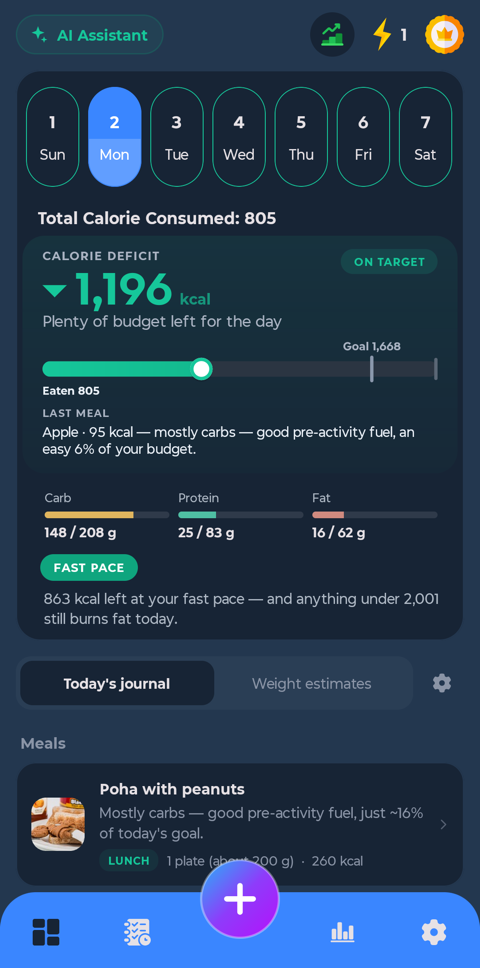
The real app, on an example day
The number most trackers leave out
Most apps give you a calorie budget and a running total. Neither of those is the thing that moves the scale. Diety estimates what your body burns from your height, weight, age and how your week really goes, and shows you the gap underneath — every day, as you log.
Your body burns
2,001
Maintenance estimate, kcal
− you ate
1,425
Logged across four meals
= deficit
576
The number that becomes fat loss
A safe floor is built in. Diety will not recommend a goal below a sensible daily minimum, and it says so when your target would cross it.
Core features
Logging is the part people quit over, so most of the app is about making it take seconds.
Point the camera at a meal and get the dishes, the portions and the macros back, itemised. Correct any row with a tap before it goes in.
iPhone & AndroidBarcode scanning for packaged food, with brand packs recognised by their picture rather than by a four-word name that reads like three other products.
iPhone & AndroidA maintenance estimate, a daily goal and the gap between them, updating as you log. Weekly pace too, so one heavy day reads as what it is.
iPhone & AndroidMacros against your own split, plus fibre, sugar and sodium. Set a custom split, or let the goal you picked set one for you.
iPhone & AndroidLog your weight and see the trend through the noise, with a projection to your target built from the deficit you are actually holding.
iPhone & AndroidBreakfast, lunch, dinner and snacks, with your own meal windows. Save what you eat often and put it back in one tap.
iPhone & AndroidThe assistant reads your own diary. It can price a meal from a sentence, tell you the portion that still fits, plan three days around what you keep missing, and fix a row you got wrong — without you opening a single screen.
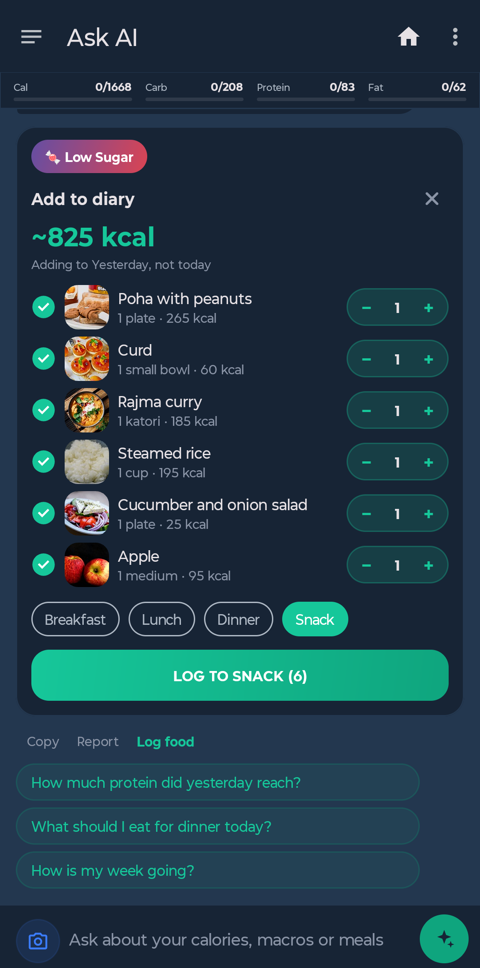
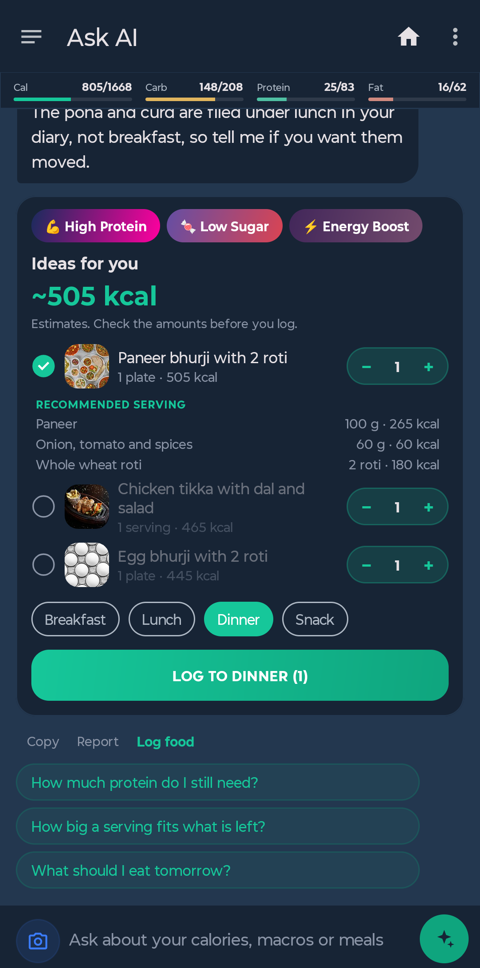
Photograph the shelf. It lists what it can see, you correct it, and it suggests meals from what you actually have.
When you have had the same breakfast for weeks, it offers that breakfast at the time you normally eat it. Nothing is written until you tap Log.
“How is my week going?” “Why am I not losing?” “Am I eating enough protein?” — answered from your diary, not from general advice.
Getting started
STEP 1
Height, weight, age, how active your week really is, and what you are aiming for. It works out maintenance and a pace that is safe to hold.
STEP 2
A photo, a barcode, a search, or a sentence. Every route ends at the same card, with ticks and a count you can change before anything is saved.
STEP 3
The deficit is on the home screen all day. Weekly pace tells you whether a heavy Saturday actually mattered.
4.3 ★
Google Play, from 2,088 reviews
100K+
Downloads
24
Languages on Android
Free
To download and start
Speaks your language — and knows your food
Not a translated menu over an American food list. Portions are named the way they are named where you live: a roti, a cambur, half a rghif, a Stück.
Start today
Free to download, with free AI scans to try. Premium unlocks unlimited photo analysis, custom macro splits and the detailed nutrient views.